 ImageFlow
Adjust Image Exposure
Raise or lower overall image exposure across images.
Processing files
Files stay on this device.
0%
Your files are ready.
Output preview
Original unchanged · this download is a separate file.
Batch results
See what changes
Before and after
Exposure brightens or darkens the whole image. Gamma is useful for changing midtones while keeping pure black and white fixed; Brightness and Contrast offers separate controls.
Sample images processed with this tool. Your result depends on your image and settings.
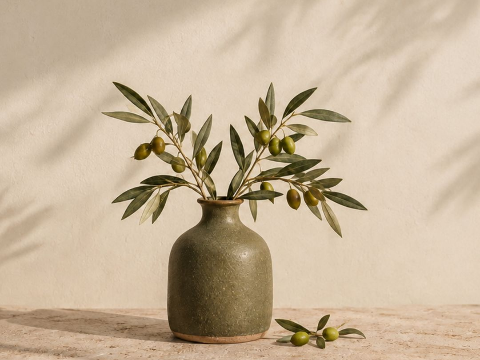
Brighten the whole photo
Exposure: 20 · PNG output
Before480 × 360
After480 × 360
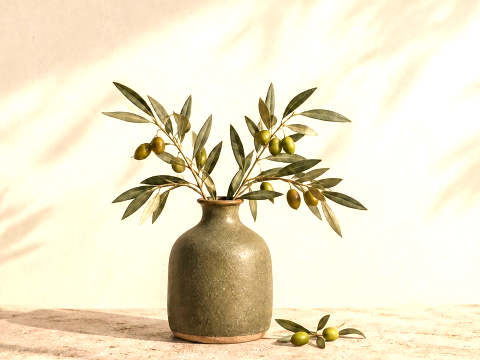
The 480 × 360 photo becomes brighter without changing dimensions. Stronger settings can turn highlights pure white; exposure cannot recover detail already missing from the original.
Download this example’s original PNG: Brighten the whole photoBefore you start
Scale light across the whole image
- Exposure multiplies every RGB channel, so positive values brighten the image and negative values darken it.
- Use Exposure to move the full tonal range. Gamma bends the midtones while keeping black and white fixed.
- Large increases can clip highlights to white and cannot restore detail missing from the source.