 ImageFlow
Change Canvas Size
Place each image on a canvas with exact dimensions and alignment.
Processing files
Files stay on this device.
Your files are ready.
Output preview
Original unchanged · this download is a separate file.
Batch results
See what changes
Before and after
Canvas size changes the frame around your image. Resize Image scales the picture itself. Choose Position to decide which edges gain space or get cropped.
Sample images processed with this tool. Your result depends on your image and settings.
Add space around the image
640 × 480 · Center · White background · PNG output
Before480 × 360
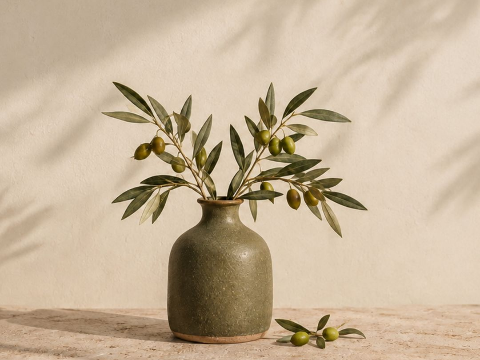
After640 × 480
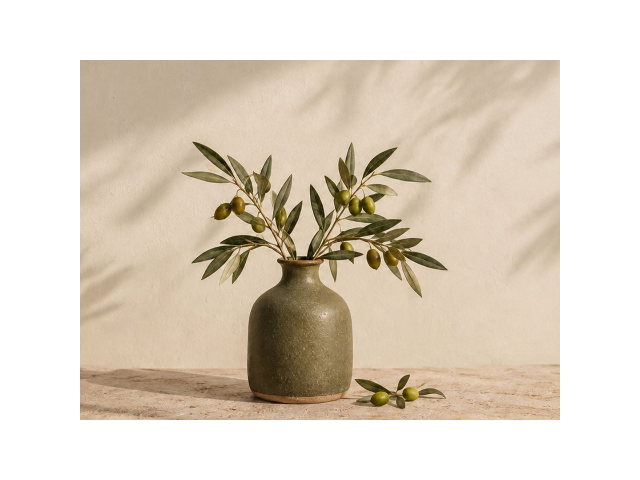
A 480 × 360 image on a 640 × 480 canvas adds 80 pixels on each side and 60 above and below. The picture stays at its original scale.
Download this example’s original PNG: Add space around the imageA smaller canvas crops the edges
360 × 240 · Center · PNG output
Before480 × 360
After360 × 240
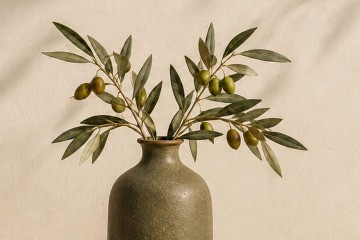
Reducing this canvas from 480 × 360 to 360 × 240 removes 60 pixels from every edge. Use Resize Image if you want the complete picture to fit instead.
Download this example’s original PNG: A smaller canvas crops the edgesBefore you start
Canvas size changes the frame, not the image scale
- Change Canvas Size places the unscaled image on an exact-width and exact-height canvas at the chosen position.
- Use it for a fixed frame; use Resize Image to scale pixels or Add Image Padding when equal spacing is enough.
- A smaller canvas cuts off source edges, while a larger canvas shows the selected background around them.